

Buy side and Get side in discount groups
On discount groups in ViKING we’re introducing a new concept that gives you even greater flexibility when you set up a discount. The concept introduces the terms Buy side and Get side. With that concept you also get more freedom to decide how you want to distribute discounts across articles, but let’s begin with the basics.
Simply put, you can now specify the following on a discount group:
Monitor other POSs from the POS that you work at
If it’s been set up in your store, you can use ViKING POS to monitor and help out at other POSs directly from the POS that you’re working at.
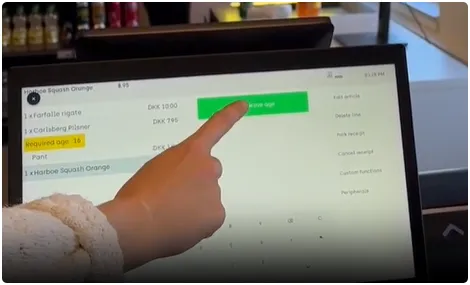
This is especially relevant if your store has self-service checkouts (SCOs), where customers may occasionally require age verification or other types of assistance.
Use labels for many-to-one relation between articles and discount group
We’ve recently introduced a label feature in ViKING. Despite it’s name it isn’t a new shelf label feature. In this case a label is an attribute that you can use to create a many-to-one relation between articles and a discount group.
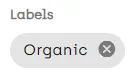
The feature makes it easy to grant a discount on multiple articles that have a given label in common, for example Organic. That way, you can quickly grant discounts on large volumes of articles (for example all Organic articles) even though those articles don’t necessarily share other attributes or belong in the same departments, article groups, etc.